AI-Powered Customer Support: Building a RAG Bot with Live Agent Handover
Deploying large language models (LLMs) like ChatGPT to answer client support queries is a highly effective way to reduce operational costs. However, standard LLMs suffer from two major flaws in corporate environments: they have no access to your private company data (like API documentation, refund guidelines, or custom plans), and they occasionally hallucinate incorrect information.
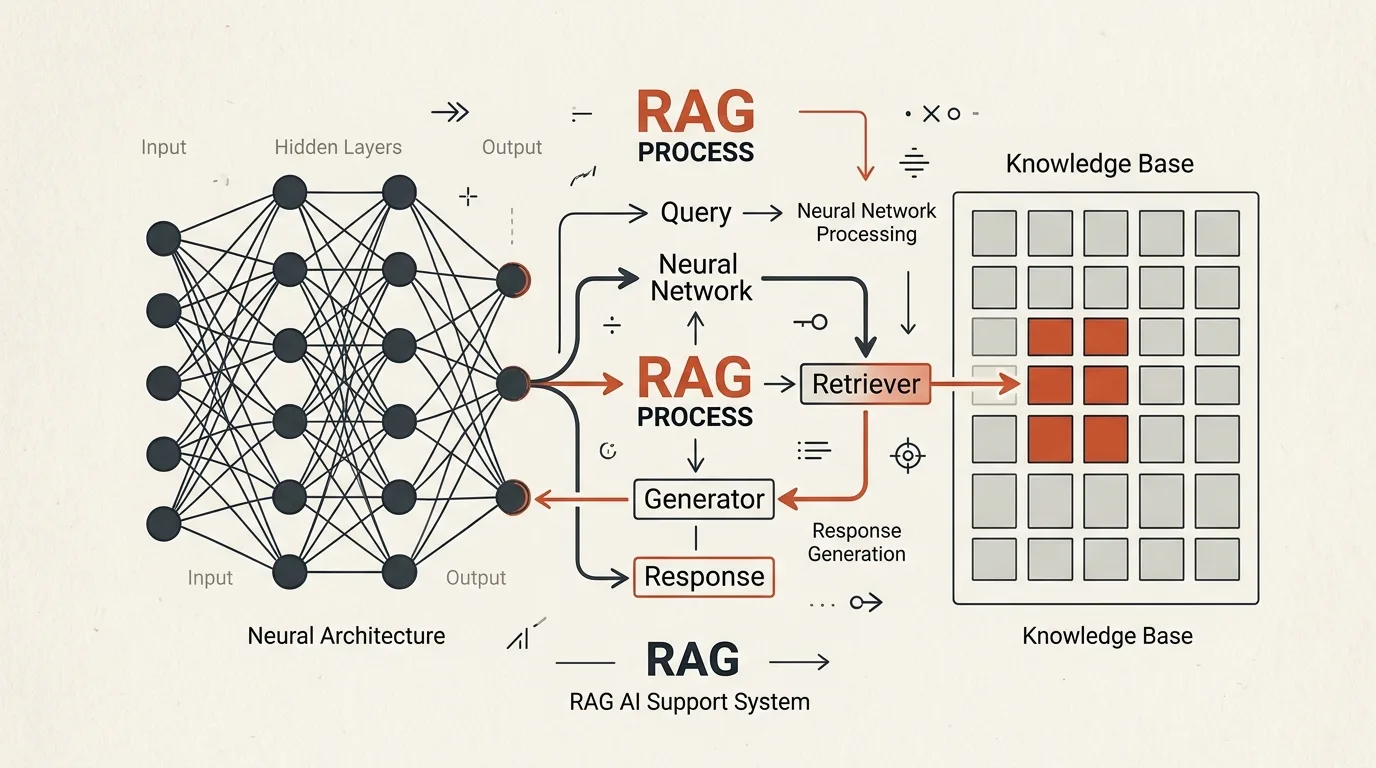
To solve this, modern production architectures use the RAG (Retrieval-Augmented Generation) framework. RAG restricts the AI to search a local database first, extract relevant knowledge blocks, and answer the user query based strictly on that retrieved text.
Furthermore, to maintain high brand standards, your support system must implement a live agent handover protocol to route the conversation to a human support manager the second the AI struggles to find an answer.
In this developer guide, we will build a complete RAG execution loop using Node.js, PostgreSQL pgvector, and a hybrid user-to-manager routing machine.
Technical RAG Workflow
[User asks: "How to connect Stripe?"]
               │
               v
  (Generate Vector Embedding)
  [text-embedding-3-small] (1536 dim)
               │
               v
  (Vector Search in PostgreSQL)
  SELECT * FROM match_kb_docs(vector, threshold = 0.75)
               │
               +----------------------+
               |                      |
      (Context Found)        (Context NOT Found / Low Score)
               │                      │
               v                      v
  [Assemble Prompt with Docs]   [Set Session = human_handling]
               │                      │
               v                      v
  [Send to gpt-4o-mini]         [Notify Support Team in Slack]
               │                      │
               v                      v
    [Send Answer to User]        [Alert user: "Transferring..."]
1. Setting Up Pgvector Database
First, enable the vector extension in PostgreSQL and create a table to store documentation chunks and their corresponding embedding coordinates (dimensions must match the embedding model, e.g., 1536 dimensions for OpenAI's text-embedding-3-small).
-- Enable vector support extension
CREATE EXTENSION IF NOT EXISTS vector;

-- Create Knowledge Base table
CREATE TABLE kb_documents (
  id SERIAL PRIMARY KEY,
  content TEXT NOT NULL,
  embedding VECTOR(1536) NOT NULL,
  category VARCHAR(50) DEFAULT 'general',
  created_at TIMESTAMP DEFAULT NOW()
);

-- Index vector column for fast search (HNSW index recommended for scalability)
CREATE INDEX kb_hnsw_idx ON kb_documents USING hnsw (embedding vector_cosine_ops);
Next, create the SQL function to retrieve documents based on cosine similarity:
CREATE OR REPLACE FUNCTION match_kb_docs(
  query_embedding VECTOR(1536),
  match_threshold FLOAT,
  match_count INT
)
RETURNS TABLE (id INT, content TEXT, similarity FLOAT)
LANGUAGE plpgsql AS $$
BEGIN
  RETURN QUERY
  SELECT kb.id, kb.content, 1 - (kb.embedding <=> query_embedding) AS similarity
  FROM kb_documents kb
  WHERE 1 - (kb.embedding <=> query_embedding) > match_threshold
  ORDER BY kb.embedding <=> query_embedding
  LIMIT match_count;
END;
$$;
2. Implementing RAG Fetching in Node.js
We write a service to generate embeddings for user questions via the OpenAI API and execute the vector search.
import { OpenAI } from 'openai';
import pg from 'pg';

const openai = new OpenAI({ apiKey: process.env.OPENAI_API_KEY });
const pool = new pg.Pool({ connectionString: process.env.DATABASE_URL });

export async function getEmbedding(text: string): Promise<number[]> {
  const response = await openai.embeddings.create({
    model: 'text-embedding-3-small',
    input: text.replace(/\n/g, ' '),
  });
  return response.data[0].embedding;
}

export async function findRelevantContext(queryText: string): Promise<string> {
  const queryVector = await getEmbedding(queryText);
  const sql = `SELECT * FROM match_kb_docs($1::vector, 0.75, 3)`;

  const client = await pool.connect();
  try {
    const result = await client.query(sql, [JSON.stringify(queryVector)]);
    if (result.rows.length === 0) {
      return '';
    }
    // Combine top matches into a single text block
    return result.rows.map(row => row.content).join('\n---\n');
  } finally {
    client.release();
  }
}
3. Strict Prompting & Fallback Logic
To avoid AI hallucinations, we enforce strict rules inside the system prompt:
export async function generateAIResponse(userQuestion: string, context: string): Promise<string> {
  if (!context) {
    return 'ERROR_UNRESOLVED';
  }

  const systemPrompt = `
You are a technical support assistant for TeleGo.io.
Answer the customer's question using ONLY the context provided below.
Rules:
1. Rely ONLY on the context details. Do not use external knowledge or invent facts.
2. If the context is insufficient or unrelated to the question, respond strictly with: "ERROR_UNRESOLVED".
3. Maintain a polite, professional tone.

Context:
---
${context}
---
`;

  const response = await openai.chat.completions.create({
    model: 'gpt-4o-mini',
    messages: [
      { role: 'system', content: systemPrompt },
      { role: 'user', content: userQuestion }
    ],
    temperature: 0.0, // Force deterministic outputs
  });

  return response.choices[0].message.content || 'ERROR_UNRESOLVED';
}
4. Chat Routing and Human Handover
When a message is received in the Telegram bot, we check if the user is currently flagged as speaking to a human manager. If not, we run the RAG query. If the RAG engine returns ERROR_UNRESOLVED, we transfer the session.
import TelegramBot from 'node-telegram-bot-api';

const bot = new TelegramBot(process.env.TELEGRAM_BOT_TOKEN!, { polling: true });

bot.on('message', async (msg) => {
  const chatId = msg.chat.id;
  const userText = msg.text;

  if (!userText) return;

  // 1. Get current session status from DB
  const session = await db.getChatSession(chatId);

  // If in human handling, forward messages to manager Slack/Telegram
  if (session?.status === 'human_handling') {
    await forwardToManagers(chatId, msg);
    return;
  }

  // 2. Perform RAG query
  try {
    const context = await findRelevantContext(userText);
    const aiResponse = await generateAIResponse(userText, context);

    // 3. Escalation check
    if (aiResponse.trim() === 'ERROR_UNRESOLVED') {
      // Set session to human handling in DB
      await db.updateChatSession(chatId, { status: 'human_handling' });

      // Notify support staff via webhook
      await notifySupportStaff(chatId, userText);

      await bot.sendMessage(
        chatId,
        "I couldn't find the answer in our documentation. I've transferred your chat to our support team. A representative will respond shortly."
      );
      return;
    }

    // 4. Send AI answer to user
    await bot.sendMessage(chatId, aiResponse);

  } catch (error) {
    console.error('RAG workflow error:', error);
    await bot.sendMessage(chatId, "Something went wrong. Let me transfer you to a human manager.");
    await db.updateChatSession(chatId, { status: 'human_handling' });
  }
});
In my project TeleGo.io, we built a similar RAG system to handle initial customer questions regarding billing or scenario configurations. When a user asks a complex technical question that isn't answered in our docs, the system automatically redirects the ticket to the manager dashboard.
This escalation flow is even more powerful when paired with Telegram Bot CRM Integrations to automatically log these events. Furthermore, you can host the manager communication dashboard directly inside a Telegram Web App.
Sources and documentation
- OpenAI Embeddings — vector generation, including the text-embedding-3-small model from the example
- pgvector — the PostgreSQL extension for vector search
- Telegram Bot API — receiving messages and long polling
Implementing RAG alongside an automated escalation policy lets the AI close routine tickets while humans join only the complex dialogues — cutting support costs many times over without sacrificing service quality.
If you want to implement a custom AI support chatbot, set up PostgreSQL Pgvector indexing, or build a complex CRM-integrated helpdesk, learn more about my Telegram Bot Development Service or book a Technical Consultation to get started.
Frequently asked questions
How is a RAG bot different from 'just ChatGPT in a bot'?
A RAG bot answers strictly from your knowledge base: it first retrieves relevant documentation fragments via vector search, then passes them to the model as context. This removes the two main problems of a bare LLM — hallucinations and ignorance of your prices, guides, and API.
What happens when the bot doesn't know the answer?
The escalation protocol kicks in: if vector search finds no relevant context or the model returns an uncertainty marker, the session is flagged human_handling, managers get notified, and every following client message is forwarded to a live operator.
What does running such a bot cost?
Two cost lines: embedding generation when indexing the knowledge base (one-off and cheap) and LLM calls per question, billed by actual API usage. On a typical question flow this is well below a support operator's rate.

Author
Alex RelFullstack Engineer
In commercial development since 2011 — over 15 years. Author of two SaaS products, TeleGo.io and LingvoHabit.com. The articles here come out of real client and product work.