Why Your CRM Needs a Custom Telegram Bot (HubSpot & AmoCRM Integration)
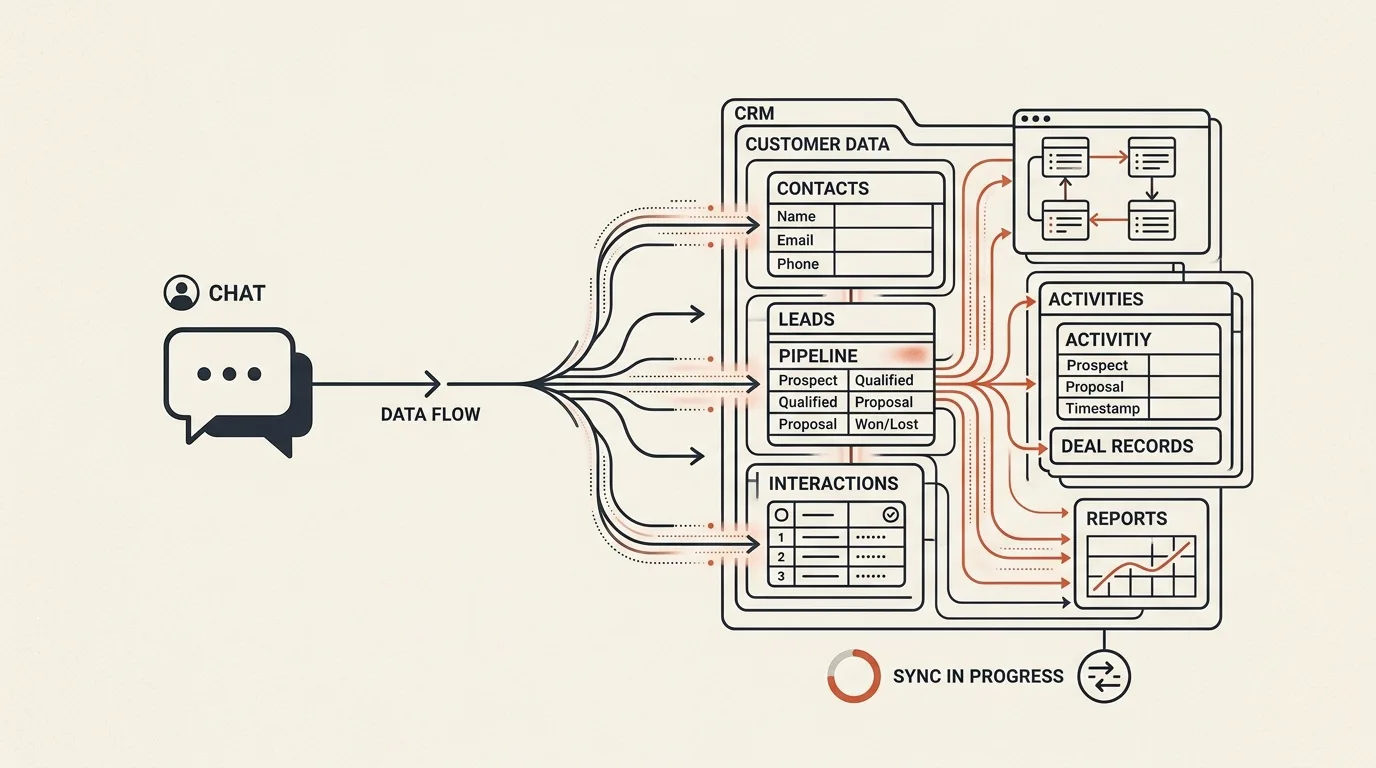
For many modern businesses, messaging apps are the highest-converting customer communication channels. However, managing leads manually in chats is highly inefficient. Sales reps miss messages, data is left unrecorded in spreadsheet files, and lead qualification takes hours of manual back-and-forth.
Integrating a custom Telegram bot with your CRM (such as HubSpot, AmoCRM, or Bitrix24) automates the top of your sales funnel.
A custom bot greets potential clients, asks targeted questions using inline menus, performs basic lead scoring, and instantly pushes structured data into your sales pipeline.
In this technical guide, we will design a qualification workflow, write a lead-scoring algorithm, and implement a complete API synchronization script using Node.js.
Technical Lead Qualification Pipeline
[User starts bot]
        │
        v
[Qualify Question 1: Budget?] ──> [Inline buttons: $1k, $5k, $10k+]
        │
        v
[Qualify Question 2: Stack?] ──> [Inline buttons: Vue/Nuxt, React, Python]
        │
        v
[Input Contact] ──> [Telegram sharing buttons (Phone) or Text (Email)]
        │
        v
(Run Lead Scoring Algorithm)
IF budget = "$10k+" THEN Priority = "HIGH" ELSE Priority = "MEDIUM"
        │
        v
(Call HubSpot API via SDK)
Create CRM Contact ──> Create CRM Deal ──> Associate Deal with Contact
        │
        v
[Notify Sales Rep on Slack/Telegram with direct Link to CRM]
1. Defining the Lead Scoring Algorithm
Before pushing data to your CRM, calculate a lead score based on user choices. This helps your sales team prioritize high-value projects.
export interface QualificationAnswers {
  budget: string; // 'under_2k' | '2k_10k' | 'over_10k'
  timeline: string; // 'immediate' | '1_month' | 'planning'
  projectType: string; // 'saas' | 'bot' | 'consultation'
}

export interface LeadScore {
  score: number;
  priority: 'LOW' | 'MEDIUM' | 'HIGH';
}

export function calculateLeadScore(answers: QualificationAnswers): LeadScore {
  let score = 0;

  // 1. Evaluate Budget
  if (answers.budget === 'over_10k') score += 50;
  else if (answers.budget === '2k_10k') score += 30;
  else score += 10;

  // 2. Evaluate Timeline urgency
  if (answers.timeline === 'immediate') score += 30;
  else if (answers.timeline === '1_month') score += 20;
  else score += 5;

  // 3. Evaluate Project Alignment
  if (answers.projectType === 'saas') score += 20; // High alignment
  else if (answers.projectType === 'bot') score += 15;
  else score += 5;

  let priority: 'LOW' | 'MEDIUM' | 'HIGH' = 'LOW';
  if (score >= 70) priority = 'HIGH';
  else if (score >= 40) priority = 'MEDIUM';

  return { score, priority };
}
2. Syncing Leads with HubSpot CRM API
Here is a robust implementation using TypeScript and Axios to create a verified contact and a prioritized deal in HubSpot.
import axios from 'axios';

interface LeadPayload {
  firstName: string;
  lastName?: string;
  phone: string;
  telegramUsername?: string;
  score: LeadScore;
  answers: QualificationAnswers;
}

export async function createHubSpotLead(lead: LeadPayload) {
  const token = process.env.HUBSPOT_ACCESS_TOKEN;
  const headers = {
    Authorization: `Bearer ${token}`,
    'Content-Type': 'application/json',
  };

  try {
    // 1. Create HubSpot Contact
    const contactRes = await axios.post(
      'https://api.hubapi.com/crm/v3/objects/contacts',
      {
        properties: {
          firstname: lead.firstName,
          lastname: lead.lastName || '',
          phone: lead.phone,
          telegram_username: lead.telegramUsername ? `@${lead.telegramUsername}` : 'N/A',
          hs_lead_status: 'NEW',
        },
      },
      { headers }
    );

    const contactId = contactRes.data.id;

    // 2. Create HubSpot Deal with custom priority tags
    const dealRes = await axios.post(
      'https://api.hubapi.com/crm/v3/objects/deals',
      {
        properties: {
          dealname: `Lead: ${lead.firstName} - ${lead.answers.projectType.toUpperCase()}`,
          dealstage: 'appointmentscheduled',
          priority: lead.score.priority, // 'HIGH', 'MEDIUM', or 'LOW'
          description: `Score: ${lead.score.score}/100. Budget: ${lead.answers.budget}. Timeline: ${lead.answers.timeline}`,
        },
      },
      { headers }
    );

    const dealId = dealRes.data.id;

    // 3. Associate Deal with Contact
    await axios.put(
      `https://api.hubapi.com/crm/v3/objects/deals/${dealId}/associations/contacts/${contactId}/deal_to_contact`,
      {},
      { headers }
    );

    return { contactId, dealId };
  } catch (error: any) {
    console.error('[CRM Sync Error] HubSpot registration failed:', error.response?.data || error.message);
    throw new Error('CRM Sync Failed');
  }
}
3. Designing Interactive Telegram Inline Controls
To ensure high conversions, avoid text inputs where possible. Rely on Inline Keyboards for selecting options. Here is a sample helper for sending qualification questions:
import TelegramBot from 'node-telegram-bot-api';

export function sendBudgetQuestion(bot: TelegramBot, chatId: number) {
  bot.sendMessage(chatId, "What is your approximate budget for the project?", {
    reply_markup: {
      inline_keyboard: [
        [
          { text: "Under $2k", callback_data: "budget_under_2k" },
          { text: "$2k - $10k", callback_data: "budget_2k_10k" }
        ],
        [
          { text: "Over $10k", callback_data: "budget_over_10k" }
        ]
      ]
    }
  });
}
Sources and documentation
- Telegram Bot API — inline keyboards, callback queries, and contact sharing
- HubSpot API documentation — contact and deal endpoints
- amoCRM developer portal — the API used in the example above
By verifying user data, implementing scoring, and establishing direct CRM pipelines, businesses can reduce lead response times to under 5 seconds while ensuring that managers spend time talking only to qualified clients.
In my custom bot projects like TeleGo.io, we leverage these webhook workflows to sync user activities directly into sales tools. For an even more advanced system, you can connect your CRM database with a RAG AI Customer Support Bot to resolve user issues before a manager is paged.
If you are looking to build a custom Telegram bot with advanced CRM integrations (amoCRM, Bitrix24, HubSpot) tailored for your sales processes, explore my Telegram Bot Development Service or book a Technical Consultation to plan your funnel.
Frequently asked questions
Why does a bot need lead scoring if the CRM already collects leads?
Scoring sorts leads before a manager sees them: a lead with a $10,000+ budget and an urgent timeline lands in the CRM with high priority and an instant notification, while cold leads don't distract the sales team. The most profitable clients get answered first.
Which CRMs can a Telegram bot integrate with?
Any system with an API: HubSpot, amoCRM, Bitrix24, as well as in-house CRMs. The bot creates a contact, opens a deal at the right pipeline stage, and maps survey answers to custom fields.
Why are buttons better than free-text input in a bot?
Inline buttons raise survey completion rates: the user doesn't have to type, and the bot receives predictable data without parsing free text. Manual input stays only where unavoidable — phone number or email.

Author
Alex RelFullstack Engineer
In commercial development since 2011 — over 15 years. Author of two SaaS products, TeleGo.io and LingvoHabit.com. The articles here come out of real client and product work.