JSON, YAML, and TOML: Why the Same Data Behaves Differently
The line country: NO looks too straightforward to contain a surprise. An older YAML parser, however, may read NO as the boolean false, while JSON would require quotation marks and TOML would distinguish the string from a boolean explicitly. This is more than one unfortunate syntax choice: the three formats have different data models, goals, and type-resolution rules. Choosing among them therefore begins with who will write the file, which program will read it, and how much ambiguity the exchange can tolerate.
JSON separated data from executable code
JSON grew out of JavaScript object literals, but it has no single moment of invention. Douglas Crockford recalled that several developers independently used this notation for data exchange and that he arrived at his own version at State Software in April 2001. He registered json.org in 2002 and began documenting the notation as a language-independent format. RFC 4627 followed in 2006, ECMA-404 in 2013, and the current RFC 8259 in 2017.
JSON's strength is its small, predictable model. A value can be a string, number, boolean, null, array, or object whose member names are strings. That model maps easily into many programming languages, which makes JSON a natural fit for APIs, event logs, and data primarily created and consumed by software.
Minimalism also sets boundaries. The JSON grammar has no comments or distinct date type, and large numbers can lose precision in systems that store them as ordinary 64-bit floating-point values. The standard also recommends unique object member names: when duplicates occur, one parser may retain the last value, another may report an error, and another may expose every pair. A short grammar does not remove the need to agree on semantics above it.
YAML favored authoring convenience and gained several ways to resolve a scalar
Clark Evans first proposed YAML in 2001 and designed it together with Ingy döt Net and Oren Ben-Kiki. An early specification draft expanded the name as Yet Another Markup Language. The modern recursive name, YAML Ain't Markup Language, emphasizes that YAML is a data serialization language rather than document markup. The official YAML history records both the authorship and the current meaning of the name.
The format was designed for people to read and edit. Indentation expresses nesting, comments explain settings, block scalars hold multiline text, and anchors and aliases can reuse nodes. Those facilities are valuable in substantial configuration files, but they also make YAML much broader than a simple collection of key-value pairs.
The Norway Problem came from this type system. The YAML 1.1 boolean schema recognized not only true and false, but variants of yes, no, on, and off as well. The following document could therefore change meaning without producing a syntax error:
country: NO
maintenance: ON
Under the YAML 1.1 schema, those values could resolve to false and true. In YAML 1.2 Core Schema, only variants of true and false resolve as booleans, leaving NO and ON as strings. The version number alone does not guarantee the outcome, however, because a library may implement an older version, select another schema, or add its own behavior. Quotation marks state the intended type directly when the value must remain a string everywhere:
country: "NO"
maintenance: "ON"
This does not prove that YAML is inherently bad. It demonstrates the cost of implicit type resolution and explains why parser behavior belongs in the configuration contract.
TOML made configuration its primary job
Tom Preston-Werner began TOML in 2013 as a format with obvious semantics that maps unambiguously to a hash table. Instead of meaningful indentation, it uses key = value assignments, [server] tables, and [[products]] arrays of tables. Strings are quoted, booleans are written only as true or false, and dates and times have their own types. Version 1.0 consolidated these rules in the official TOML specification.
That explicitness suits application and package settings that people edit regularly. It also narrows the format's scope. A TOML document always has a table at its root, no null value exists, and a graph with shared nodes represented by YAML aliases has no direct equivalent. TOML is consequently neither repaired YAML nor newer JSON; it addresses a more focused configuration problem.
The data path should determine the format
For network exchange and machine-generated data, JSON is often the simplest contract because its model is small and compatible implementations are almost universal. YAML can be more comfortable when people frequently edit the configuration and need comments, multiline text, or reusable sections, provided the team controls the parser and agrees on a schema. TOML works well when the document naturally divides into named tables and explicit value types matter.
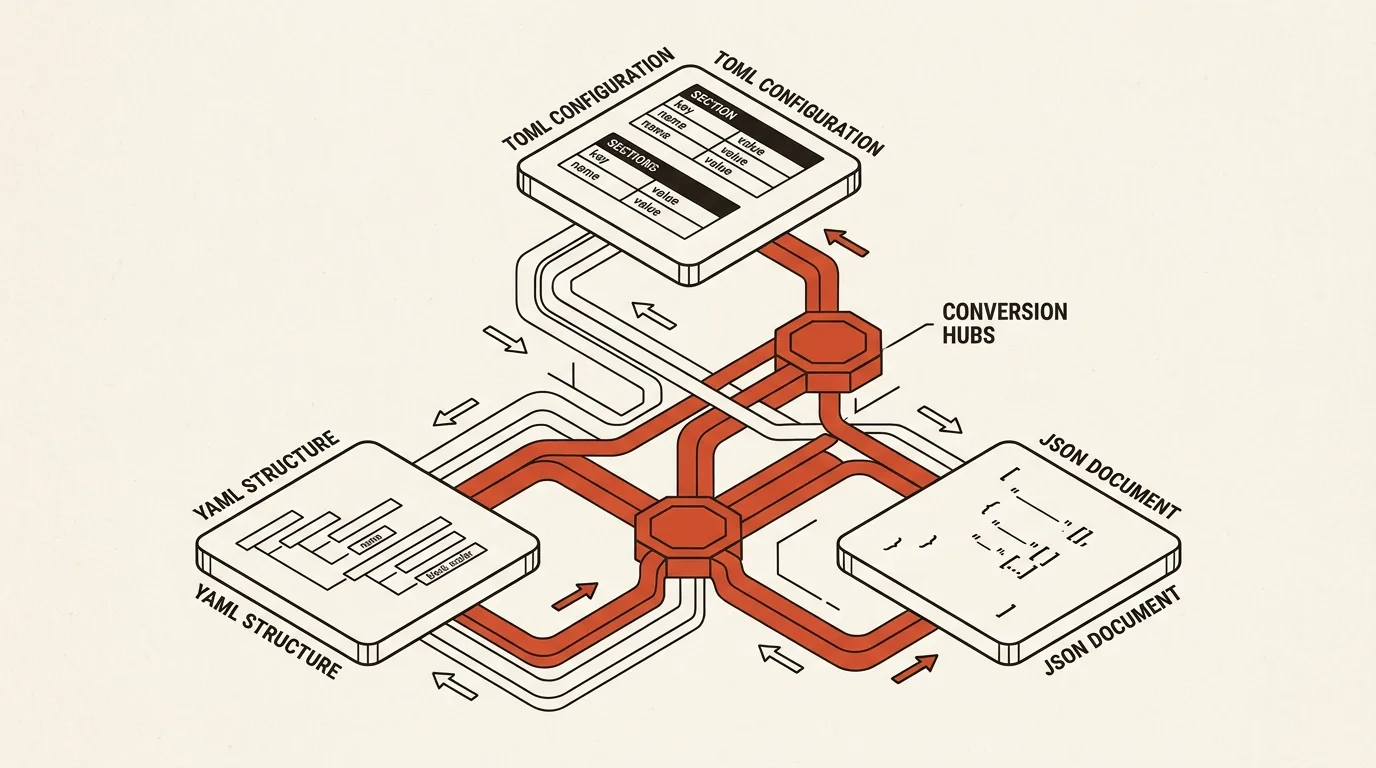
.env files and shell export statements sit closer to the process boundary. An environment variable ultimately contains a string, so nesting, arrays, numbers, booleans, and null must be encoded through conventions. There is no single representation that every dotenv library can reverse into the same structure. Conversion between these formats should therefore be understood as a transformation between data models, not a cosmetic exchange of braces for indentation.
What the converter actually does
The YAML, JSON, TOML & .env Converter works with five representations: JSON, YAML, TOML, .env, and shell export statements. It first parses the source into an ordinary JavaScript value and then serializes that value into the selected format. This intermediate layer makes common configuration files convertible in either direction, but it cannot retain features that do not exist in the JavaScript model, including comments, YAML aliases, or TOML's distinct date type.
JSON is handled by native JSON.parse and JSON.stringify. For YAML and TOML, the tool implements practical syntax subsets rather than trying to replace complete standards-compliant parsers. Its YAML path understands ordinary mappings, sequences, and scalars, deliberately treats only true and false as booleans, and preserves NO, YES, ON, and OFF as strings. Complex tags, anchors, merge keys, block scalars, and multiple documents require a specialized library. Two or four spaces are the safe indentation choices for YAML output because YAML does not permit tabs for indentation.
The TOML path supports tables, arrays of tables, strings, numbers, dates, and common compound values, but a date becomes a string after passing through JavaScript. TOML also has no null, so the converter leaves an explanatory comment or reports a replacement inside a compound value instead of hiding the loss. An array or scalar at the document root cannot be serialized as TOML either, since the root must be a table.
When targeting .env or shell, nested values are flattened into names such as DATABASE__HOST, while array elements receive numeric path segments. The reverse conversion understands the same convention, but every leaf value remains a string. Source auto-detection is heuristic, particularly when a short input resembles both TOML and .env, so users can pin the source format manually.
All conversion runs locally in the browser. The tool reports renamed keys and type losses, swaps the conversion direction with one control, and copies the result, but a production migration should still pass the output through the exact parser and schema used by the destination application.
Related tools


Frequently asked questions
Who created JSON?
JSON grew out of JavaScript object notation, and several developers independently discovered similar ways to exchange data. Douglas Crockford recalled arriving at it at State Software in April 2001, then registering json.org and documenting the format in 2002. The first IETF specification was RFC 4627 in 2006; the current Internet Standard, RFC 8259, was published in 2017.
What is the Norway Problem in YAML?
Under the YAML 1.1 type schema, unquoted NO, YES, ON, and OFF were resolved as booleans. A field such as country: NO could therefore become false. YAML 1.2 Core Schema recognizes variants of true and false as booleans, but actual behavior still depends on the parser's version and selected schema.
How do JSON, YAML, and TOML differ?
JSON is a compact interchange format with a small set of data types. YAML offers human-friendly notation, comments, multiline values, anchors, and other features, but resolution depends on the selected schema. TOML is aimed primarily at configuration and maps unambiguously to tables containing typed values.
Can TOML represent every JSON or YAML document?
No. A TOML document always has a table at its root and has no null value, although it does have distinct date and time types. YAML can also describe graphs through anchors and aliases, and its data model is wider than a plain JavaScript object. Some documents therefore cannot move into TOML or JSON without losing a type, structure, or meaning.
Why can two programs interpret the same YAML differently?
The YAML version and selected schema affect how unquoted scalars are resolved, while libraries do not always use the same defaults. Portable configuration should quote ambiguous strings and pin the project's parser version and settings.
Can JSON or YAML be converted to .env and back without loss?
Not always. Environment variables are strings and do not preserve types, nesting, or null. This converter flattens objects into double-underscore keys and reconstructs them on the way back, but that is the tool's convention rather than a universal dotenv standard.
Does the converter support every YAML and TOML feature?
No. It targets common configuration files and implements practical subsets of both formats. Complex YAML with tags, anchors, merge keys, or multiple documents, as well as uncommon TOML constructs, should be checked with the parser and validator used by the destination project.

Author
Alex RelFullstack Engineer
In commercial development since 2011 — over 15 years. Author of two SaaS products, TeleGo.io and LingvoHabit.com. The articles here come out of real client and product work.