Command Explainer: How to Read Man Pages and Understand Unix
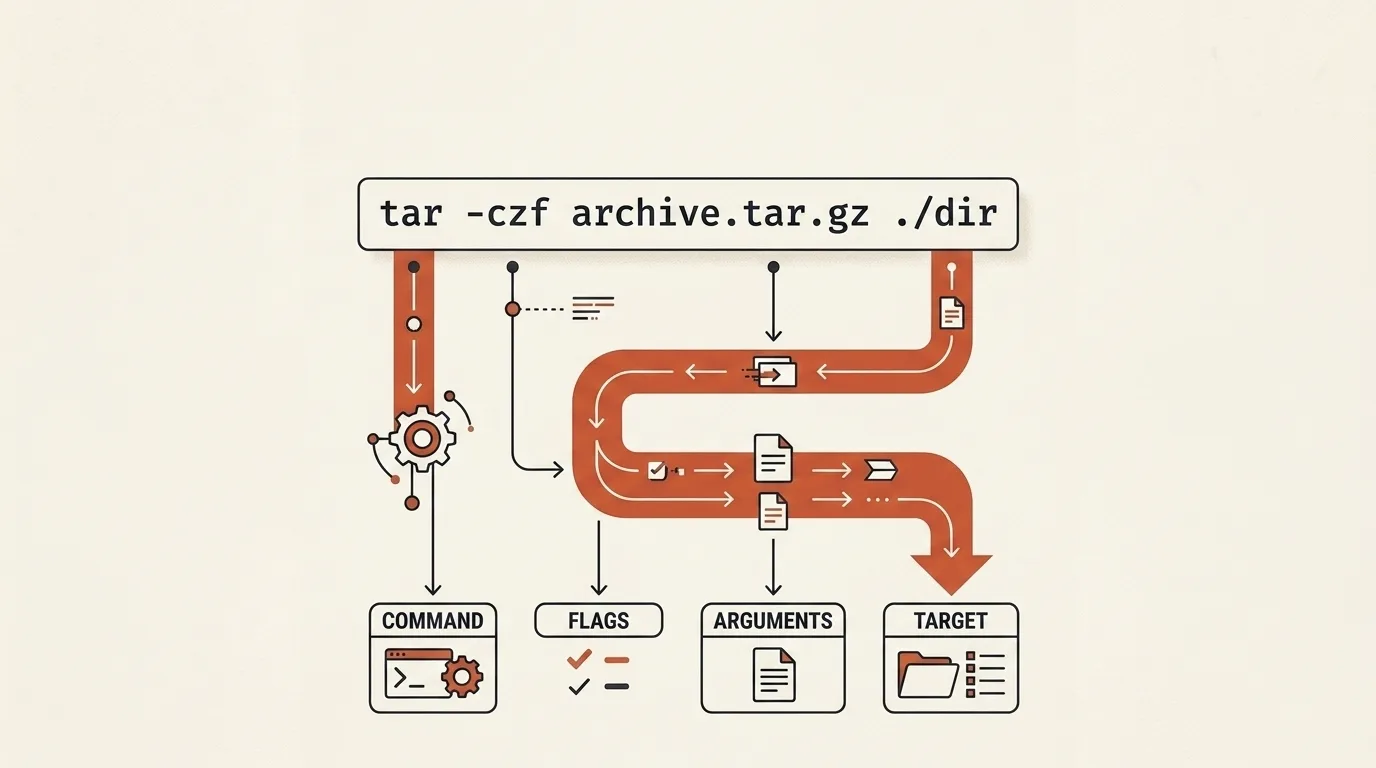
Running a command is easy. Understanding what it does with all those flags is an art. Command Explainer translates from man to human.
The history of man: documenting UNIX (1971)
When Ken Thompson and Dennis Ritchie were writing the first version of UNIX, they needed a way to document 60+ commands. They used troff (a typesetting processor) and created the man format — short for "manual page."
The first man page was written for the stat command in 1971. By 3rd Edition UNIX (1973), every command had its own page. The format was so successful that all UNIX-like systems adopted it, including Linux.
Man sections — brilliantly simple navigation: 8 sections covering everything from user commands to file formats and system calls. man 7 socket isn't a page about a socket command, but documentation about sockets as a concept.
The Unix philosophy: small tools, piped together (1973)
Man pages only make sense next to the idea they document. Doug McIlroy, who ran the Bell Labs group behind UNIX, summed it up: "Write programs that do one thing and do it well. Write programs to work together." In 1973 he pushed pipes into UNIX — the | that streams one command's output straight into the next.
That is why commands look the way they do. grep filters, sort orders, awk reshapes, tar bundles — each is small and single-purpose, and the power comes from chaining them: ps aux | grep node | awk '{print $2}'. Reading a long command is really reading a little pipeline of one-job tools — which is exactly what this explainer unpacks.
How Command Explainer works
Command Explainer has two tabs, and everything runs locally in your browser — no man-page servers are contacted.
Explain a command — paste any command and get a flag-by-flag breakdown:
- Smart tokenizer — respects
'single'and"double"quotes, so-name "*.log"stays one argument - Pipes and operators — splits on
|,&&,||,;and redirects like>, then explains each command and what the operator does - Every part annotated — the command itself, bundled short flags (
-xzvf→-x -z -v -f), value-taking options (-name,-mtime,-C) and each operand, colour-coded by role - Unknown flags flagged — anything not in the database is marked instead of guessed at
Command cheatsheet — a searchable reference for dozens of everyday commands across eight categories (files, search, permissions & users, archives, remote & transfer, networking, processes, text). Each command lists its purpose, common options and real examples — click Explain on any example to send it straight to the parser.
Quick start: open the tool → enter find . -name "*.log" -mtime +7 -delete → see find = search a directory tree, -name "*.log" = match by pattern, -mtime +7 = modified over 7 days ago, -delete = remove each match → verify this is what you intended before running it.
Related tools


Frequently asked questions
When were man pages created?
The first man page was written in 1971 for the stat command in 1st Edition UNIX by Dennis Ritchie and Ken Thompson. Initially, documentation was stored as a set of troff files. The man format (short for manual page) became the UNIX standard and remains so today.
What do man sections mean?
man has 8 sections: 1 — user commands (ls, cp), 2 — system calls (open, read), 3 — library functions (printf, malloc), 4 — devices (/dev/null), 5 — file formats (/etc/passwd), 6 — games, 7 — miscellaneous, 8 — administrative commands (fdisk, mount). Example: man 5 crontab shows the crontab file format.
What is the --help option?
The --help flag (or -h) provides brief built-in help showing command syntax, main options, and examples. Unlike man, --help works without a pager and shows only the essentials. POSIX requires --help support for all utilities.
How to read command syntax in man?
Standard notation: square brackets [] — optional arguments, angle brackets <> — required, a|b — choose one (or), ellipsis ... — repetition. Example: cp [-r] <source> <dest> means -r is optional, source and dest are required.
Who wrote the most famous Unix commands?
ls, cp, rm, mkdir, grep, sh — Ken Thompson (1971). awk — Alfred Aho, Peter Weinberger, Brian Kernighan (1977), named after their initials. sed — Lee McMahon (1974). tar first appeared in Unix V7 (1979); GNU tar came later from John Gilmore. find — Dick Haight (1975, PWB/UNIX). ssh — Tatu Ylönen (1995, SSH-1).

Author
Alex RelFullstack Engineer
In commercial development since 2011 — over 15 years. Author of two SaaS products, TeleGo.io and LingvoHabit.com. The articles here come out of real client and product work.