SVG Optimization, Code Export, and Image Compression
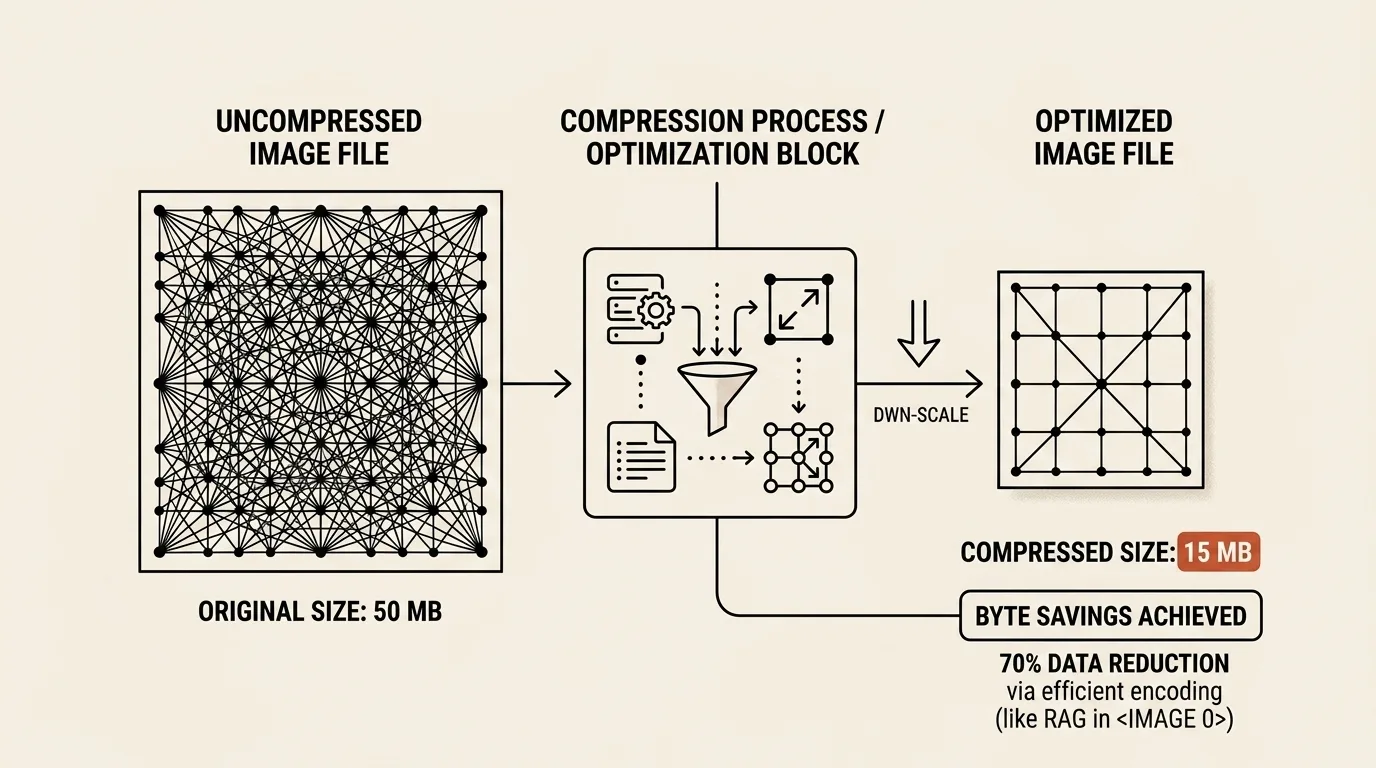
Images make up more than half the weight of most websites. Image optimization isn't decoration — it's load speed, Core Web Vitals, and real money.
A short history of compression
1980 — CCITT standardizes Fax Group 3, using a Huffman-derived scheme (Modified Huffman) for black-and-white images. The first mass-market compression algorithm.
1987 — CompuServe releases GIF. Uses LZW lossless compression, limited to 256 colors.
1992 — JPEG standard published. The first lossy format that discards imperceptible details. A revolution for photography and the web.
1996 — PNG created as a free GIF replacement (Unisys LZW patent dispute). Lossless, 16.7M colors, alpha channel.
2010 — Google releases WebP, based on VP8 video codec technology. 25-34% smaller than JPEG at the same quality.
2019 — AVIF based on the AV1 video codec. 50% smaller than WebP at the same PSNR. HDR and 12-bit color support.
SVG: trash you can just delete
SVG is a special case. It's not pixel compression but markup. The problem: tools (Figma, Adobe Illustrator, Inkscape) dump tons of boilerplate data into SVG:
- Metadata (author, creation time, tool version)
- Empty
<g>groups - 10-decimal-place coordinates
- Hidden layers
- Unused
<defs> - Comments
SVGO (Node.js, 2012) became the standard SVG cleaner. It can shrink a Figma-exported file by 80-90% with no visible change.
What the two optimizers do
SVG Optimizer cleans, transforms and exports vector artwork. Image Optimizer handles PNG, JPEG and WebP resizing, compression and delivery files.
SVG input and optimization
Paste markup, choose an .svg file, drop it into the source panel, or send the current drawing directly from Pixel Painter. Optimization uses a local SVGO build and offers three starting points:
- Safe performs conservative cleanup.
- Balanced is the default for normal production assets.
- Maximum runs additional transformations and multiple optimization passes.
The Advanced section controls metadata and comment removal, group collapsing, dimensions, shape-to-path conversion, path merging, <title> and <desc> preservation, numeric precision, short tags, and ID prefixes. The output keeps its viewBox, and potentially unsafe preview content such as scripts, event handlers, embedded documents, and external references is removed before display.
Preview, formatting, and transforms
The Preview tab shows the optimized file on a checkerboard, light, dark, or custom background. This background is only for inspection and is never added to the asset.
The whole SVG can be rotated left or right by 90 degrees, flipped horizontally or vertically, and reset to its optimized state. Rotation swaps the output geometry when required. The SVG tab can show minified markup or prettified output with two spaces, four spaces, or tabs.
Code and transport exports
All outputs are generated from the same transformed SVG:
- optimized SVG;
- React JSX with a configurable component name;
- React Native JSX for
react-native-svg, with warnings for unsupported nodes; - a Vue single-file component;
- PNG at a chosen width, with transparency or a custom background;
- percent-encoded and Base64 Data URI variants.
Each text format can be copied or downloaded. PNG is rasterized in the browser, and Blob URLs are temporary.
Batch raster compression
The Image Compressor accepts up to ten PNG, JPEG, WebP, or other browser-supported images through the file picker or drag-and-drop. Use one set of options for the whole queue: keep each source format or convert everything to JPEG, WebP, or PNG, adjust lossy quality, and choose the background used when transparency is converted to JPEG.
Every row shows its dimensions and before/after size and has an individual Download action. Completed files can also be packaged into one ZIP directly in the browser. Because image data is already compressed, the ZIP stores the generated files without an unnecessary second compression pass.
Quick start: open SVG Optimizer → paste or drop an SVG → choose Balanced → inspect the preview and size reduction → apply a transform if needed → copy a framework component or download SVG/PNG. For raster files, open Image Optimizer, drop up to ten images, choose the output settings, then download selected results or one ZIP.
Related tools


Frequently asked questions
What's the difference between lossy and lossless compression?
Lossless compression (PNG, GIF, WebP lossless) preserves every pixel exactly. Lossy compression (JPEG, WebP lossy, AVIF) discards details invisible to the human eye for greater size reduction. SVG is a text format — its 'compression' is removing unnecessary data from the markup (metadata, redundant tags).
Who created WebP?
WebP was developed by Google based on technology acquired with On2 Technologies in 2010. It uses the same compression techniques as the VP8 video codec. The format shipped in Chrome from day one, but full cross-browser support took nearly a decade — Firefox added it only in 2019, and Safari held out until 2020. WebP provides 25-34% smaller files compared to JPEG at the same quality.
Why does SVG from Figma need cleaning?
Design tools can add metadata, comments, long coordinates, empty groups, editor-specific attributes, and redundant transforms. The optimizer removes or simplifies this markup according to the selected Safe, Balanced, or Maximum preset while preserving the viewBox.
Can the optimizer convert SVG to React or Vue?
Yes. The same optimized source can be copied or downloaded as SVG, React JSX, a React Native component using react-native-svg, or a Vue single-file component. Unsupported React Native SVG elements are reported as warnings.
Can it export PNG and Data URI?
Yes. PNG export supports a chosen width and either transparency or a custom background. The Data URI tab provides both percent-encoded and Base64 variants.
Are files uploaded to a server?
No. SVG parsing, sanitization, optimization, preview, code generation, PNG rasterization, and raster compression run locally in the browser.
Which is better — WebP or AVIF?
AVIF (based on the AV1 video codec, 2019) provides better compression than WebP, but browser support is still incomplete (Chrome 85+, Firefox 93+, Safari 16.1+). WebP is the more universal choice today: supported by all modern browsers.

Author
Alex RelFullstack Engineer
In commercial development since 2011 — over 15 years. Author of two SaaS products, TeleGo.io and LingvoHabit.com. The articles here come out of real client and product work.