Why Hebrew and English Text Jumps Around
A mixed Hebrew or Arabic sentence can look correct in one editor and fall apart after it is pasted into a messenger, spreadsheet or HTML field. A Latin product name jumps to the other side, a phone number changes position, or a closing parenthesis appears to belong to the wrong phrase.
The common assumption is that the clipboard reversed the characters. Usually it did not. The text still has a logical storage order; the application is calculating a visual order from the Unicode Bidirectional Algorithm.
Strong text, neutral punctuation
Hebrew and Arabic letters are strong right-to-left characters. Latin, Cyrillic and Greek letters are strong left-to-right characters. Numbers have their own bidirectional behavior. Spaces, colons, brackets and much punctuation are neutral, so their displayed position depends on the directional runs around them.
That is why a fragment such as a URL, email address, version number or +972 phone number can destabilize a sentence even though every visible character is valid Unicode.
Isolate a complete run
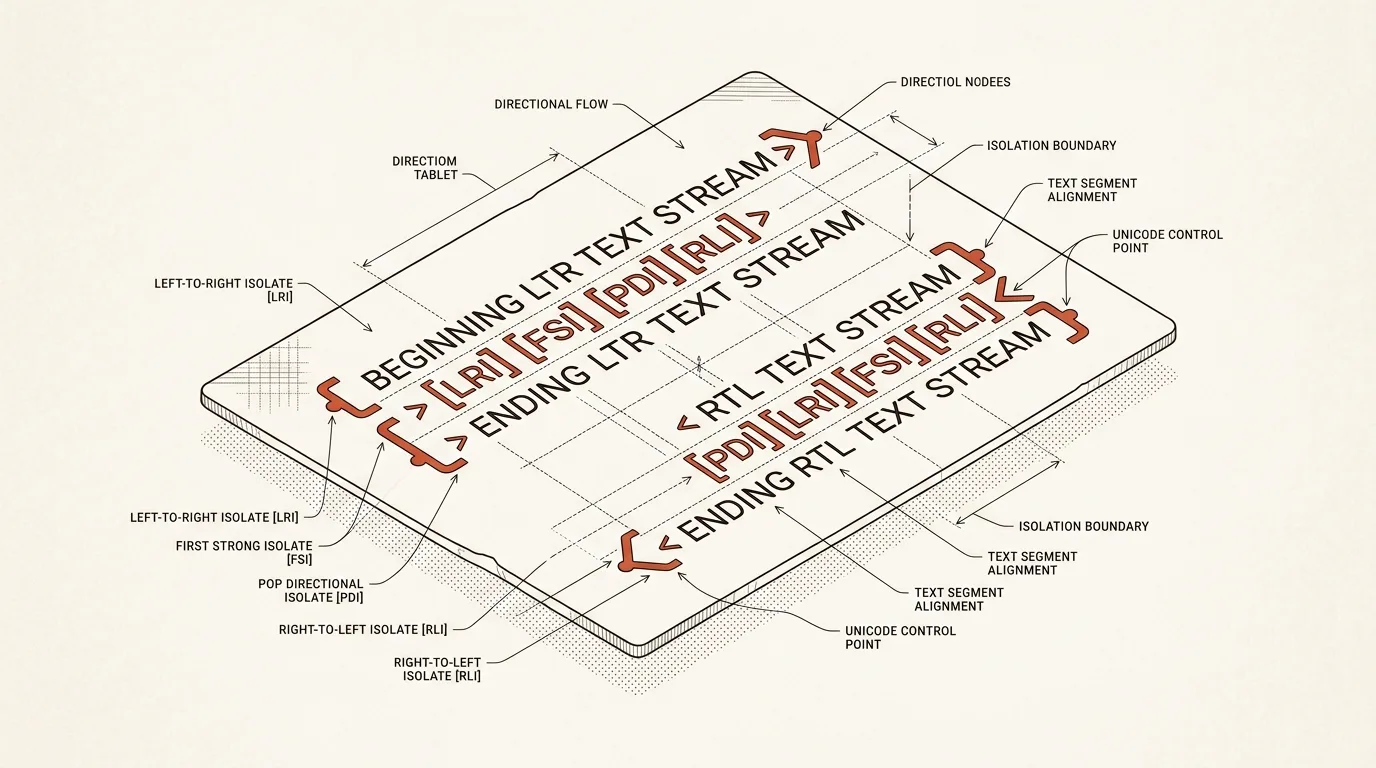
Modern Unicode isolates are intended for a self-contained fragment whose direction differs from the paragraph:
LRI(U+2066) starts a left-to-right isolate.RLI(U+2067) starts a right-to-left isolate.FSI(U+2068) chooses direction from the first strong character inside.PDI(U+2069) ends the isolate.
For example, an English URL inside Hebrew can be wrapped in LRI … PDI. The code points are invisible, but they prevent the URL from influencing the rest of the sentence. The same idea works in reverse for Hebrew inside an English paragraph with RLI … PDI.
The important detail is scope: wrap a complete directional fragment. Do not scatter controls inside words, split an emoji grapheme sequence, or rewrite the logical order just to imitate one visual rendering.
When LRM and RLM are useful
LRM (U+200E) and RLM (U+200F) are zero-width strong-direction marks. They are useful for a local ambiguity, especially neutral punctuation next to a directional boundary. They do not create a paired container, so adding many of them blindly makes text difficult to inspect and maintain.
A practical rule is to use an isolate for a whole word, URL, number or phrase, and a mark only when a nearby colon, bracket, dash or similar neutral character still needs a directional hint.
Legacy embedding and override controls such as LRE, RLE, LRO, RLO and PDF may exist in old text. New formatting should normally prefer isolates, while an inspector should flag legacy or unbalanced controls for review.
Choose the smallest formatting profile
Use Safe for ordinary work. It recognizes complete URLs, email addresses, phone numbers, dates, versions, file paths, Markdown links and inline code, then isolates a whole opposite-direction run. Sentence punctuation is left outside the isolate when the following text returns to the paragraph direction. This keeps the full stop after a URL on the correct visual side of a Hebrew or Arabic sentence.
Use Compatibility when the destination editor does not render isolates correctly. This profile places matching LRM or RLM marks around the same directional boundaries. Use Clean only when you need visible text without any BiDi controls and do not want new controls added.
A formatter should also distinguish ordinary isolates from suspicious input. Overrides such as RLO or LRO, broken pairs, and controls hidden inside a URL or code token deserve a warning. Cleanup should target only those unsafe controls, leaving valid isolates and Arabic ZWJ or ZWNJ characters intact.
A safe editing workflow
A good RTL formatter keeps the source untouched, builds an editable result, and reveals invisible controls in a separate visual layer. The actual text area must continue to contain the real Unicode characters so that copying preserves them.
Automatic formatting should also stop once the result is edited manually. Otherwise a source update can silently erase a carefully placed LRM or RLM. Reapplying automation should be an explicit action.
The RTL Text Fixer follows that workflow locally in the browser. It provides Safe, Compatibility and Clean-only profiles, explains every automatic change, warns about unsafe controls, preserves manual edits with undo and redo, and can import or export plain-text files without uploading them.
Related tools


Frequently asked questions
Why does an English word move to the wrong side of Hebrew text?
The stored characters have not necessarily moved. The Unicode Bidirectional Algorithm displays strong right-to-left and left-to-right runs according to their surrounding context, while spaces and punctuation are neutral. A missing directional boundary can therefore make a word or punctuation mark appear on an unexpected side.
What is the difference between LRM and LRI?
LRM is a zero-width left-to-right character that influences nearby neutral characters. LRI starts an isolated left-to-right run and PDI closes it, so the content inside cannot unexpectedly affect the surrounding paragraph. Isolates are usually the safer choice for a complete word, number, URL or phrase.
Are Unicode direction controls visible after copying?
No. They remain real code points in the plain text but normally have no visible glyph. A diagnostic editor can label them without replacing them, and an escaped copy can expose values such as U+200E or U+2066 for debugging.
Do BiDi controls fix Arabic letter joining?
No. Bidirectional controls affect display order and direction. Arabic shaping and joining involve different characters and font behavior, including ZWJ and ZWNJ. They should not be removed as if they were LRM, RLM or isolates.

Author
Alex RelFullstack Engineer
In commercial development since 2011 — over 15 years. Author of two SaaS products, TeleGo.io and LingvoHabit.com. The articles here come out of real client and product work.