EzSwitch — Quick Keyboard Layout Switcher for macOS
For developers and writers who constantly switch between multiple languages (e.g., writing code in English and comments or docs in Russian), physical keyboard layout switching is a constant friction point. Accidentally typing in the wrong layout (ghbdtn instead of привет) breaks the working flow.
To solve this once and for all, I developed EzSwitch — a lightweight macOS menu bar utility written in Swift and SwiftUI that automates keyboard layout changes and text recovery.
In this article, I will walk through the features of EzSwitch and explain how the key features operate under the hood using macOS system APIs.
Core Features of EzSwitch
The utility solves two major problems: fast layout switching using physical modifier keys, and instant correction of already typed text.
1. Command-Key Layout Switching
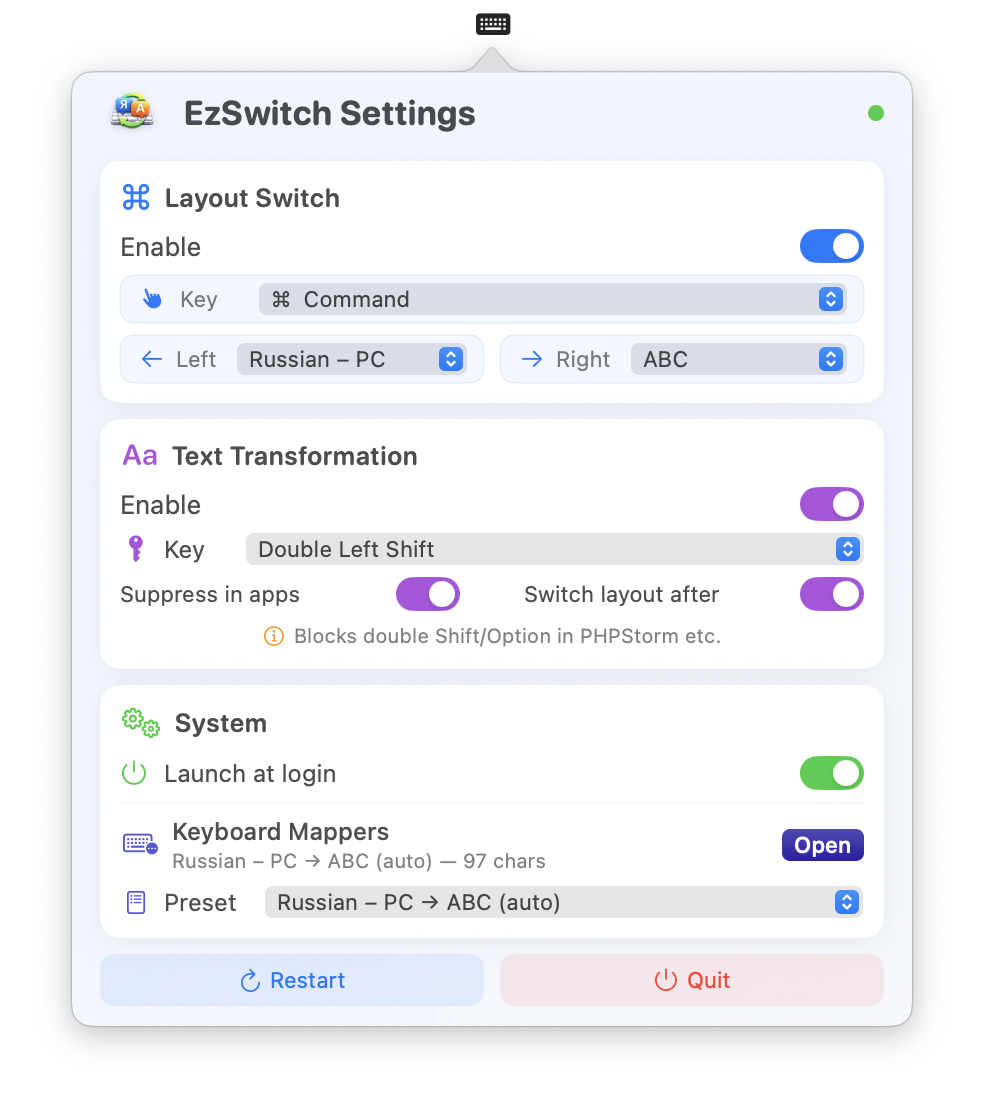
Instead of utilizing standard macOS cycling combinations like Cmd+Space or Ctrl+Space, EzSwitch lets you bind layouts to individual taps of modifier keys:
- Tapping the left Command key ➔ forces the active layout to your left language (e.g., English).
- Tapping the right Command key ➔ forces the active layout to your right language (e.g., Russian). This is fast and error-free because you do not need to check which layout is currently active. You simply press the side corresponding to your target language.
2. Double-Shift Text Transformation
If you forget to switch layouts and type a word in the wrong mode, simply highlight the text (or place your cursor after the word) and double-tap Shift (or Option). The text instantly transforms into the correct layout.
- Supports converting both highlighted text selections or the last typed word before the cursor.
- Automatically switches the active keyboard layout to follow the transformed text.
How it Works Under the Hood
Building low-level system software for macOS requires deep interaction with Core Graphics and Carbon APIs.
Intercepting Keystrokes (Event Taps)
To detect modifier double-taps and single Command key taps, the application sets up a low-level event listener in Swift using CGEventTap:
let eventTap = CGEvent.tapCreate(
    tap: .cgSessionEventTap,
    place: .headInsertEventTap,
    options: .defaultTap,
    eventsOfInterest: [.keyDown, .keyUp, .flagsChanged],
    callback: myEventTapCallback,
    userInfo: nil
)
This requires registering the application for the Input Monitoring system permission in macOS Settings.
Auto-Generated Key Mappings via UCKeyTranslate
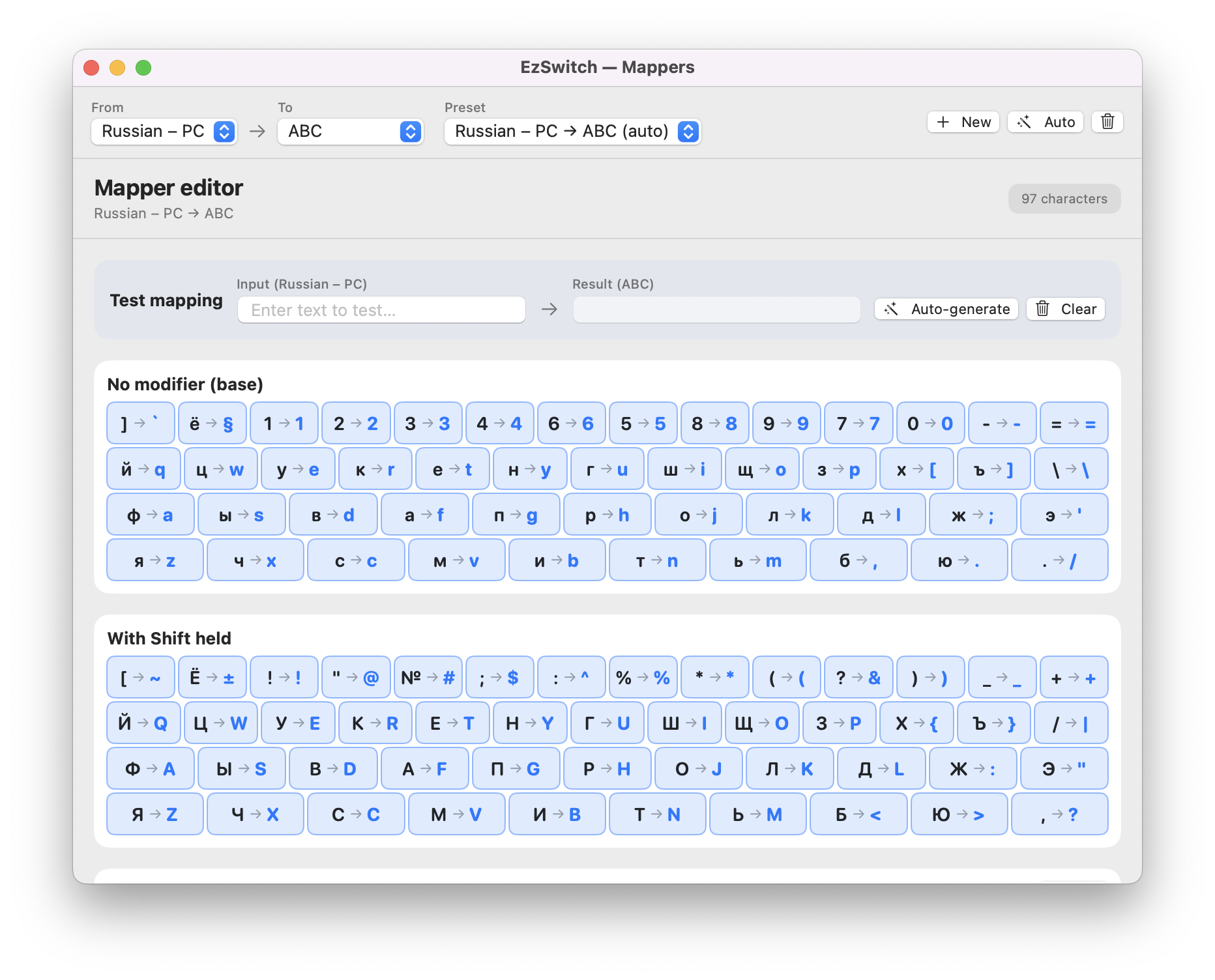
To translate characters cleanly between any pair of languages, the converter needs a key translation map. Instead of hardcoding character tables, EzSwitch queries the Carbon UCKeyTranslate API on launch. It reads the user's active keyboard layouts, simulates virtual keypresses for all 48 physical key codes under various modifier states (base, Shift, Option, Shift+Option), and compiles a character map on the fly. This ensures the text converter works out of the box with any layout pair installed on the system.
Text Replacement Mechanism
To transform typed text, the app leverages macOS Accessibility APIs to simulate user keyboard actions:
- Simulates
Shift + Option + Left(orCtrl + Shift + Leftin IDEs) to select the last word. - Copies the highlighted text to the clipboard (
Cmd+C). - Translates the string character-by-character using the active mapping.
- Pastes the corrected text back (
Cmd+V).
Conclusion
EzSwitch is a fast, highly optimized open-source utility that integrates cleanly into macOS, saving time during daily multi-lingual workflows. The project is fully open source — check out the EzSwitch GitHub repository to browse the code, open it in Xcode, or build it yourself.
Working on a macOS utility or a tool with complex system integrations? I'm happy to discuss architecture or tricky API challenges — book a technical consultation or see what I build and work on.

Author
Alex RelFullstack Engineer
In commercial development since 2011 — over 15 years. Author of two SaaS products, TeleGo.io and LingvoHabit.com. The articles here come out of real client and product work.